Win 10 and Ageia PhysX?
You have Ageia PhysX PPU card?
I made originally this for myself as i did reinstall my windows couple times but will now share for others.
What you need:
For people with just nVidia GPUs to help run older PhysX titles there is PhysX Legacy driver package:
NVIDIA PhysX Legacy System Software 9.12.1031
Drivers for PPU

After extracting *.7z-archive. Need install all in order so first: ageia_physx_7.11.13_systemsoftware → then as next PhysX_8.09.04_SystemSoftware and... → finally install PhysX_9.10.0513_SystemSoftware as a last Ageia's driver.

Return of demos to Demo tab!
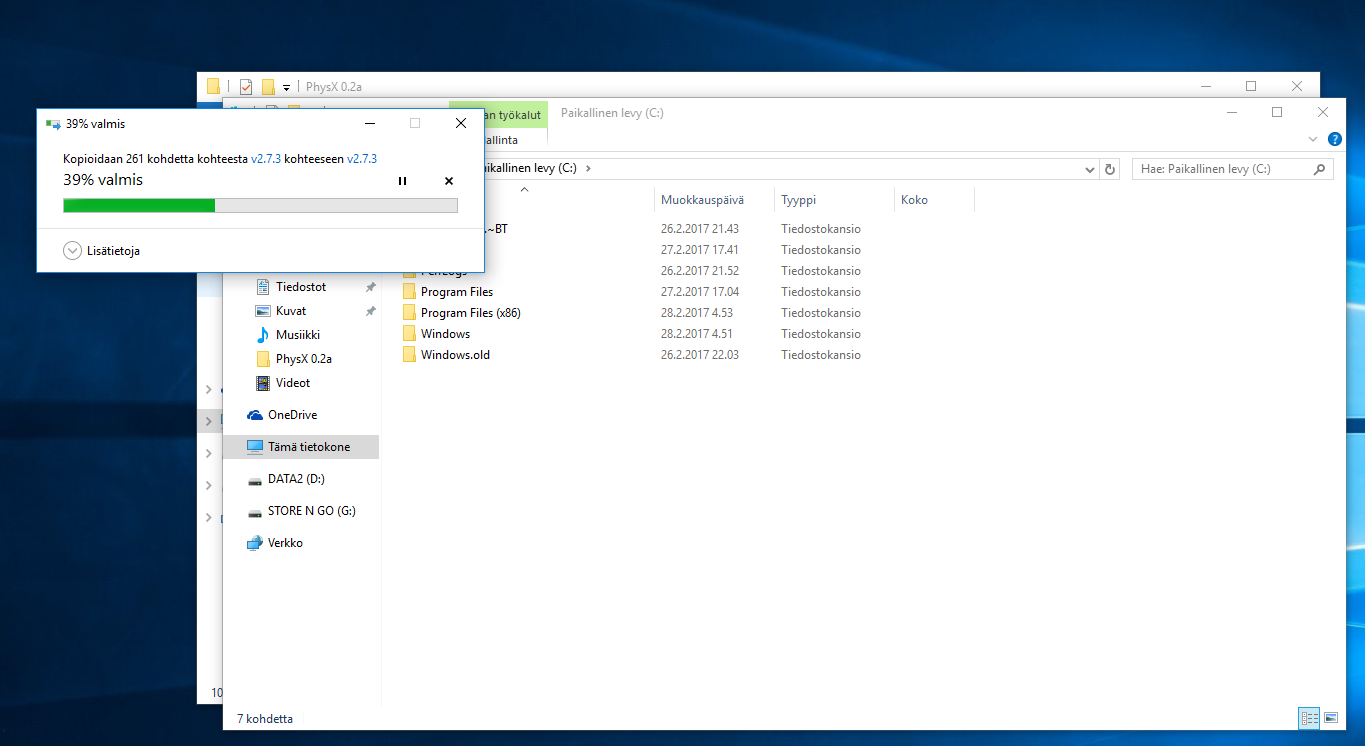
To have demos back copy and paste folders Program Files (x86) and Windows at your C: -drive root and overwrite files if some exists.
→ Run PhysX Demos.reg to add windows registery missing registry values → Double click TrayIcon 64bit - shortcut to go folder where should be by now TrayIcon.exe and run it →
Extra! You can copy TrayIcon.exe to autolaunch with windows to make things easier for you if you copy shortcut from/of TrayIcon.exe in to folder %programdata%\Microsoft\Windows\Start Menu\Programs\Startup (copy and paste to windows folder address bar). It's not needed. It's up to you.
Done!?


... or not but click on to choose Ageia PhysX and then click OK to be finished. Go to Demo tab and have fun :) Remember too install carwash demo from archive!