GameBoy Advance - gpSP *Bios required.
SNES - Snes9X
Nintendo 64 - DaedalusX64
Sega Genesis - PicoDrive *Bios required.
Playstation 1 - Continue reading...
From Playstation to PSP.
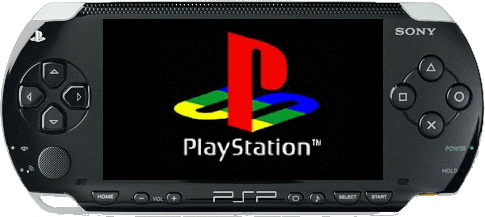
You need: IsoBuster - the program PSX2PSP - the package. The BASE.PBP file has been removed from the package due to copyright reasons.
Creating a game .ISO disk image.
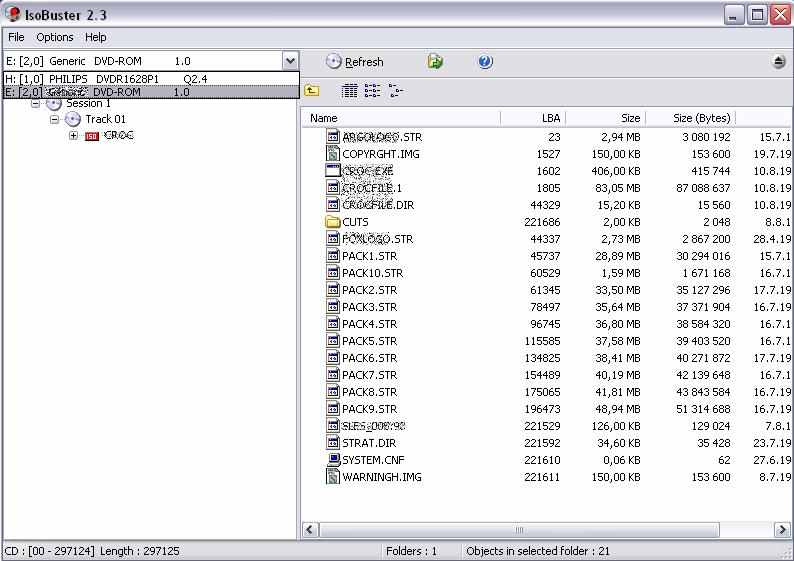
Open ISOBuster and select the game disc (or image).
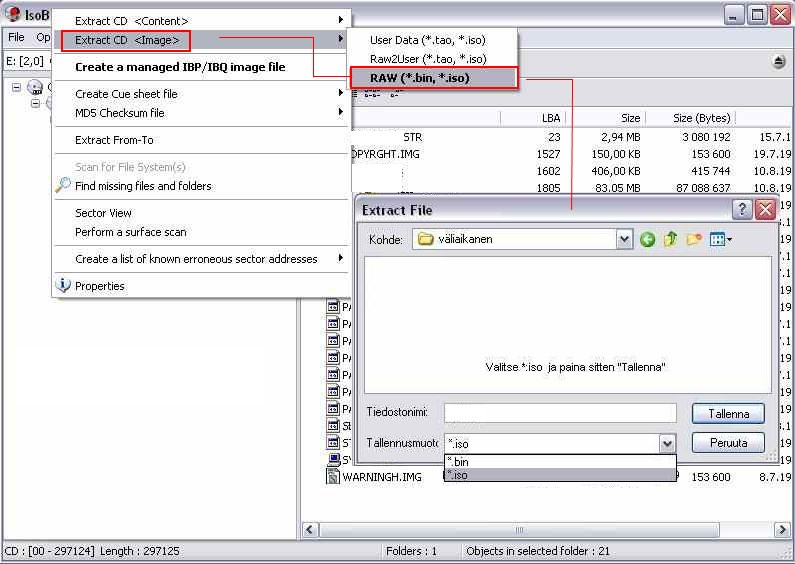
Select RAW (*bin, *iso) as shown in the picture but save in *.bin format as shown in the picture.
...the program packs the game's multi-track audio discs (CDDA) into *.BIN disk images where e.g. background music doesn't work otherwise. You need the cdda_enabler plugin for the PSP.
Converting disk image to PSP game.
Unpack PSX2PSP and run the program.
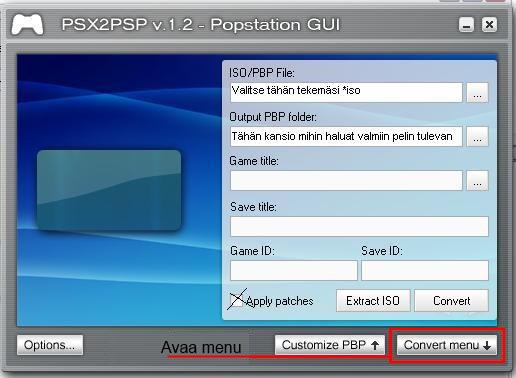
Options - In settings set the compression level to 1 so it works on newer cfw versions and as a bonus the game file becomes smaller. When the program is finished, go to the specified Output PBP folder directory, where a new folder has appeared e.g. SCES**96*, inside of which is the eboot.PBP file.
Move the SCES**96* folder to the PSP's GAME folder.
Note! Not GAMEXXX.
In-game pressing the PSP's HOME button takes you to settings, where you can configure aspect ratio and button settings etc.
Questions and complaints can be written to the Guestbook. Happy gaming!